

You may have seen the phrase Your Topics Multiple Stories and wondered what it means. Is it a new Google feature, an app, or a writing method? The honest answer: the phrase has no official definition, and no platform owns it. I checked the pages that rank for it, and they disagree. Only one meaning gives you real work to do. In this guide from DonglyTech, you will learn what Your Topics Multiple Stories means, why the useful reading is the old topic cluster idea, and how to turn one pillar topic into four to six linked stories that readers can follow.
Table of Contents
What Does Your Topics Multiple Stories Mean?
Your Topics Multiple Stories means taking one central topic and telling it through several stories instead of one post. Each story covers a different angle or answers a different question. All the stories stay tied to the same main topic. That is the core of Your Topics Multiple Stories. The phrase has no clear owner: no company announced it, and no official page defines it.
The Three Meanings People Give It
The top pages give Your Topics Multiple Stories three meanings that do not fit together.
- A content strategy: one core topic told through several angle stories, linked both ways. This is the useful meaning: the old topic cluster idea under a new label.
- A storytelling device: many voices and points of view on one subject.
- A personalization feature: readers pick topics and get a feed of stories, described as if it were a real app setting. No site names the app.
Some pages describe Your Topics Multiple Stories as a platform, and a few name small sites as if they run it. I found no verified official platform behind the phrase. The storytelling meaning belongs in a writing class, not in a blog plan. The content strategy meaning is the one that helps a blog grow.
The Useful Meaning: One Topic, Many Stories
The useful reading of Your Topics Multiple Stories is a topic cluster: a group of pages built around one broad topic. One pillar page covers the broad topic in depth, and focused pages, called cluster content, each take one angle. HubSpot describes it on its own blog: topic clusters are an SEO content strategy that links a broad pillar page to a set of focused cluster pages. Its knowledge base adds that a pillar page is a comprehensive resource page that covers a topic in depth. Read the full HubSpot guide to topic clusters.
Put simply, the pillar answers the broad question, and each story answers one smaller question. A pillar on keeping an Android phone fast might explain what slows it down. One story then shows how to clear the cache step by step. Another lists the common mistakes. None of them tries to cover the whole topic. Together, they cover it well. Our guide to Techgues com works the same way: one broad topic page with related posts around it.
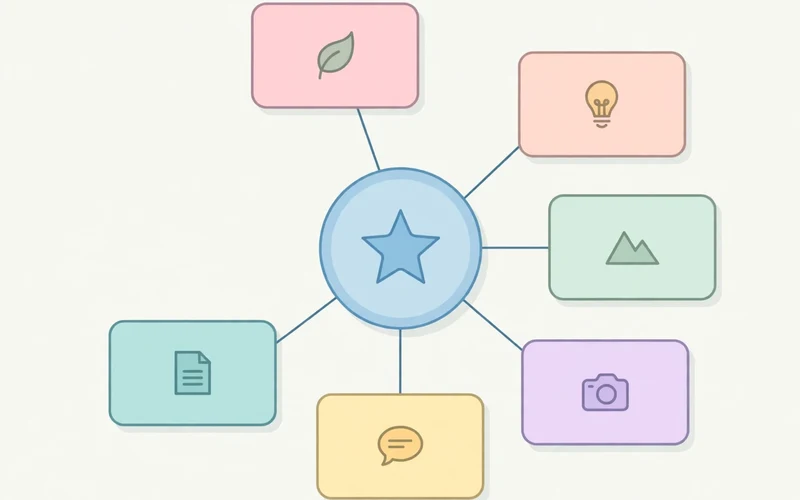
One pillar page in the middle, with each story linked back.
Why One Topic With Many Stories Works
One strong topic with several stories beats ten thin posts on random topics. Here is why the Your Topics Multiple Stories method works for readers and for search.
- Depth beats width: five useful pages on one topic prove you know the subject.
- Every question gets a full answer: each reader lands on the story that answers it.
- Links build a clear map: when every story links to the pillar and back, readers and search engines see how the pages fit.
- One topic, many search queries: each story targets its own query, so the cluster can rank for many phrases.
- Less wasted work: you plan the stories once, then write them one by one.
Google says the same thing. Its guidance on helpful, people-first content says it means content created primarily for people, not to manipulate search engine rankings. A cluster built to answer real questions fits that test.
How to Build Your Own Topic Cluster in 6 Steps
You do not need a tool or a team to build a cluster: one good topic, four to six real angles, and a simple SEO content plan.
- Pick a pillar topic your readers already ask about: the broad question people ask before they buy or search for help.
- List four to six multiple story angles. Each angle must do a different job. Start with five types: a mistake, a guide, a case, a checklist, and a FAQ.
- Give each story its own search query, written the way people type it. If two angles share a query, fold the weaker one into the stronger one.
- Check that no two stories answer the same question. If they overlap, merge them or drop one.
- Write the pillar first, then one story at a time. Add one story a week, and edit the pillar links each time a new story goes live.
- Link every story both ways: the pillar links to every story, and every story links back to the pillar. Add one link from each story to its closest sibling too.
Plan the stories on a calendar before you write. Five stories at one a week is five weeks of publishing. This Your Topics Multiple Stories plan works on any small blog. Sites that group content by topic, like our GamerXYT categories page, show how one theme holds many posts.

Plan the angles first.
A Worked Example: One Topic, Five Stories
Here is a full Your Topics Multiple Stories plan for a tech blog, built from simple blog content ideas. The pillar topic is how to keep an Android phone fast. This is a made-up plan to show the method, not a report of a real project. Each story has its own job.
- Pillar: How to Keep Your Android Phone Fast. It covers the whole topic and links to every story.
- Angle story: Five Mistakes That Slow Down an Android Phone. It targets readers who do not know they have a problem yet.
- Guide story: How to Clear the Cache on Android Step by Step. It walks the reader through one fix.
- Case story: One Old Phone, One Full Cleanup. It shows one cleanup from start to finish.
- Checklist story: Android Speed Checklist Before You Buy a New Phone. It gives readers a short list to save and use.
- FAQ story: Android Speed Questions Readers Ask First. It answers the questions people ask first.
No two stories in this plan answer the same question. The pillar is the map, and each story is one stop on it.
How to Link the Stories So the Cluster Works
In a Your Topics Multiple Stories cluster, internal linking turns five posts into one cluster.
- The pillar links to every story, using the story title or a short phrase about it.
- Every story links back to the pillar with words that describe the broad topic, not a bare web address.
- Each story links to its closest sibling, so a reader can jump from the guide to the case story.
- Use clear link words. Link to the full phone care routine, never to a bare URL.
- Fix orphan pages first: every page you care about needs a link from another page on your site.
Do not chase a magic number of links per page. A small cluster with clean two-way links beats a big cluster with random links.
When Many Stories Become a Problem
A Your Topics Multiple Stories plan goes wrong once the angles stop being different. Google calls this scaled content abuse: many pages generated for the primary purpose of manipulating search rankings and not helping users. It does not matter who writes the pages. Read the rule in Google’s spam policies.
Watch for these warning signs.
- Same page, new city: twenty pages that only swap the town name are doorway pages, not a cluster.
- Same answer, new title: if two stories answer the same query, they are duplicates. Keep the stronger one and drop the weaker one.
- Volume with no value: forty thin variations of one page will not stay safe just because a human typed them instead of a machine.
- Keywords over readers: if a story exists only to hold a keyword, cut it before you publish.
Plain duplicate content is a smaller problem than abuse. When two pages cover the same ground and earn clicks for different queries, leave them alone. When they fight for the same query, merge them. The test is simple: does each story give the reader something the others do not?
How to Tell If Your Cluster Is Working
Once the Your Topics Multiple Stories cluster is live, judge it page by page. Open Search Console and switch between its Pages tab and its Queries tab to see which queries each story earns. If two stories keep showing up for the same queries, one should absorb the other. Give the cluster time: some changes take effect in hours, and others take months.
Final Thoughts
Your Topics Multiple Stories has no official definition and no platform behind it, but the idea inside it is solid. Pick one topic your readers care about, write four to six stories that each do a different job, link them both ways, and check for near copies. Do that, and one topic can carry a month of useful posts.
FAQs
What does Your Topics Multiple Stories mean?
It means taking one central topic and telling it through several stories instead of one post. Each story covers a different angle, and all link back to the same main topic. The useful form is the topic cluster: one pillar page plus four to six story pages.
Is Your Topics Multiple Stories an official platform or Google feature?
No. It has no official definition, and no platform owns it. Some sites describe it as if it were a real app or platform, but I found no launch post or company page that proves it exists. Treat those platform claims as unproven.
What is a pillar page in a topic cluster?
A pillar page is a comprehensive resource page that covers a broad topic in depth. It answers the broad question and links to every story, and each story answers one smaller question.
How many stories should one topic have?
Four to six stories is a good start for a small blog. Each story needs its own search query and its own job. If two stories answer the same question, fold the weaker one into the stronger one.
Can many stories on one topic hurt my site?
Yes, if the stories are near copies made only to rank. Google calls that scaled content abuse, and it applies whether people or software write the pages. Keep each story different and useful.
