

A Temu Coupon Code is a short code you enter at checkout on Temu to get a discount on your order. It can cut the price, give you free shipping, or unlock a special deal. Many shoppers search for these codes every day, but not every code you find online still works. Some codes are old, some work only for new users, and some are fake. This guide shows you what a Temu coupon code is, where to find real ones, and how to apply one step by step. You will also learn the terms to check before you pay, why a code may fail, and how to spot a scam. At DonglyTech, we keep our guides simple, so even a first time shopper can follow each step with ease.
Table of Contents
What Is a Temu Coupon Code?
A Temu coupon code is a mix of letters and numbers that Temu gives out as part of a deal. When you type it in the coupon box at checkout and tap Apply, Temu takes the discount off your total. A Temu promo code and a Temu discount code mean the same thing, so do not get confused by the three names.
Temu is a large online market where you can buy clothes, home items, toys, gadgets, and much more at low prices. The site says it works with a huge network of suppliers and makers, and that is how it keeps prices low. Some codes give a set percent off, some give a fixed amount off, and some give free shipping. There are two kinds: a code you type by hand, and a coupon Temu adds straight to your account.
Where to Find Real Temu Coupon Codes
The safest place to find a Temu coupon code is Temu itself. Temu gives out coupons in its app and on its site, and those are the codes you can trust most.
- Temu app, Coupons and Offers: Open the Temu app, go to your account, and tap Coupons and Offers. Temu keeps your active coupons here.
- Temu home page: Visit Temu and look for banners and deal sections. Temu shows live deals, lightning deals, and app only offers in these spots.
- Temu emails and alerts: Sign up for Temu emails and turn on app alerts. Temu sends coupon codes and sale news to its own users.
- Flash sales: Check the flash sale section in the app or on the site. These deals cut prices by a large amount and need no code at all.
- Referrals and student discounts: Temu has a referral program that gives you coupons or credit when a friend joins through your link. Students can also confirm their student status to unlock a discount.
Coupon sites also list Temu codes, but treat them with care. A code may be old or made for a different country. Test it at checkout and watch the total. Never pay for a code, because real Temu codes are always free.

Check the Temu app first, because the best coupons live in your own account.
How to Apply a Temu Coupon Code Step by Step
Learning how to use Temu coupon code offers is easy once you know where the box sits. Follow these steps in the app or on the site.
- Add items to your cart: Pick what you want and add it to your cart. Most codes need a minimum order value, so build your cart first.
- Go to checkout: Tap the cart icon, check your items, then tap Checkout.
- Sign in: Most codes need you to sign in, so log in to your Temu account first.
- Find the coupon box: On the checkout page, look for the field marked Enter coupon code. It sits near the order total.
- Type or paste the code: Enter the code with care. One wrong letter or one extra space can break it, so check it twice.
- Tap Apply and check the total: Tap Apply, then look at your order total. If the code worked, the total drops right away. Pay only when the saving shows in the total.
Temu lets you use one promo code per order, so pick the best code you have before you apply it. Saved coupons sit below the field, so pick one from your list instead.
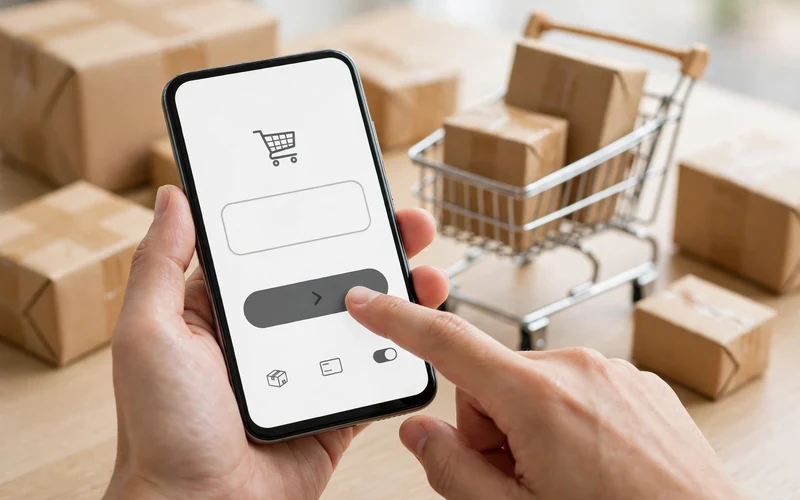
Type the code with care, tap Apply, and check the total before you pay.
Temu Coupon Code Terms You Must Read
Every coupon code comes with terms, and those terms decide if the code works for you. Read them before you build your cart, or you may lose the saving at the last step.
- Minimum order value: Many codes work only when your order reaches a set amount. If your cart is below that amount, the code will not apply.
- Expiry date: Most codes work for a short time only. A code that worked before may be dead now, so check the end date.
- New users only: Some of the best codes work only for a first order or a new account.
- App only or item limits: Some coupons work only in the Temu app, not on the site. Others work only on certain items.
- One use and country limits: Most codes work once for each user, and a code made for one country may not work in another country.
Why Your Temu Coupon Code Is Not Working
A Temu coupon code not working is a common problem, and most of the time the cause is simple. Work through this list before you give up on a code.
- The code expired: Check the end date. Old codes from blogs and videos often stop working with no warning.
- Your cart is too small: Add more items until you reach the minimum order value, then try the code again.
- Wrong account type: A new user code will not work on an old account.
- Typo or extra space: Copy the code again and paste it with care. A space at the start or end can break it.
- Code already used or old app: If you used the code once, Temu will not let you use it again. Update the app and try again.
If none of these steps fix it, the code is most likely dead or not made for your account. Do not trust a site that claims it can force a dead code to work. For real help, contact the Temu Help Center and ask about the offer.
How to Avoid Fake Temu Coupon Code Scams
Fake coupon scams are common because Temu is so popular. Scammers post fake codes to steal your login, your money, or your personal details. Stay safe with these rules.
- Never pay for a code: Real Temu codes are free. Any site that sells a code is a scam.
- Never share your password: No real Temu offer asks for your Temu password outside the official app or site.
- Use only the official app: Get the Temu app only from the Google Play Store or the Apple App Store. Do not install app files from random links.
- Skip code generator sites: Sites that claim to make a fresh code for you do not work. They exist to show ads or steal your details.
- Check the link before you tap: Fake Temu pages use web addresses that look close to the real one but differ by one letter.
If a deal asks you to act fast, pay first, or share private details, stop and check it on the real Temu app.
Temu Coupon Code Tips to Save More
A code is only one way to save on Temu. Use these tips with your coupons to cut your total even more.
- Stack a code with a sale: Use a code on items that are already on sale when the terms allow it.
- Check your coupons each week: Temu adds new coupons to accounts on a regular basis, so look in Coupons and Offers before each order.
- Use free shipping and compare totals: Temu says shipping is free on items shipped from Temu, so check the shipping line and compare the final totals before you pick a code.
Smart shopping is a habit, not a trick. For more easy ways to save, read our guide on The Spark Shop online shopping big discount and our guide on the 299 Rs flower style casual men shirt deal.
Final Thoughts
A Temu Coupon Code can save you real money, but only when the code is real, fresh, and made for your order. The Temu app and the Temu site are the best places to find codes you can trust, and the Coupons and Offers list in your account is the first place to look. If a code fails, work through the fixes in this guide instead of trusting a random code site.
FAQs
What is a Temu coupon code?
A Temu coupon code is a short code of letters and numbers that you enter at checkout to get a discount. It can cut the price, give free shipping, or unlock a deal. The total drops if the code is valid.
Where can I find a real Temu coupon code?
The best place is the Temu app itself. Open your account and tap Coupons and Offers to see the coupons Temu gave you. You can also find codes in Temu emails and in the flash sale section. Coupon sites may list codes too, but test them at checkout because many are old.
How do I apply a Temu coupon code?
Add items to your cart and go to checkout. Sign in, find the field marked Enter coupon code, type or paste the code, and tap Apply. Check that your total drops before you pay.
Why is my Temu coupon code not working?
The most common causes are an expired code, a cart below the minimum order value, a code made for new users only, a typo, or a code you already used. Check the terms and retype the code with care.
Can I use more than one Temu coupon code on one order?
No, Temu lets you use one promo code per order. Pick the code that saves you the most before you apply it. You can still pair that code with a sale price when the terms allow it, but you cannot add a second code to the same order.
