
Table of Contents
Introduction
All uses of internet tips on Dongly Tech covers the practical ways people use the internet for communication, education, banking, shopping, work, entertainment, healthcare, travel, government services, and everyday problem-solving.
The internet connects smartphones, computers, tablets, smart televisions, and other devices so they can exchange information. For people in India, it can simplify tasks such as paying utility bills, attending online classes, transferring money, applying for documents, finding employment, and communicating with relatives.
However, useful internet access also brings risks. Online fraud, fake websites, misleading information, weak passwords, harmful downloads, and excessive screen time can create problems. This guide explains how to benefit from the internet while using it safely and responsibly.
What Is the Internet?
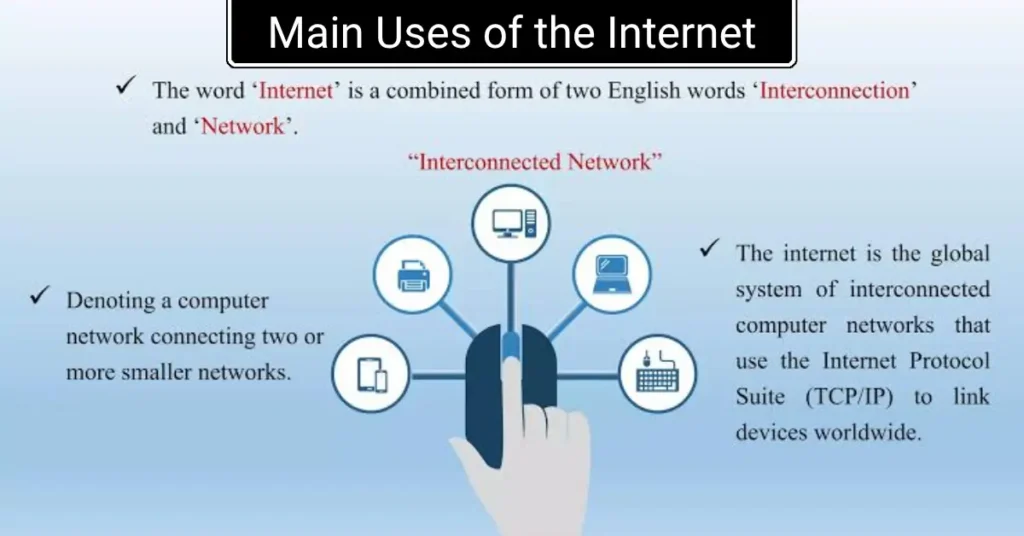
The internet is a worldwide network that allows connected devices to communicate and share information. It supports websites, email, mobile applications, video calls, cloud storage, digital payments, streaming platforms, search engines, and many other services.
The internet and the World Wide Web are related but not identical. The internet is the network infrastructure, while the web is one service that operates through it. Email, online games, messaging applications, and file transfers also use the internet.
A user normally accesses the internet through:
- Mobile data
- Home or office broadband
- Fibre connections
- Public or private Wi-Fi
- Fixed wireless services
- Satellite internet
The quality of an internet connection depends on speed, signal strength, network congestion, data limits, device condition, and the service provider’s coverage.
Main Uses of the Internet
The internet is mainly used to communicate, learn, work, complete transactions, access services, and enjoy digital content. Its value depends on how carefully and purposefully it is used.
| Internet use | Common examples | Main benefit | Possible risk |
| Communication | Email, chat and video calls | Fast connection with others | Scams and unwanted messages |
| Education | Online classes and tutorials | Flexible access to learning | Incorrect information |
| Banking | Transfers and bill payments | Convenient transactions | Phishing and payment fraud |
| Shopping | Ordering products online | Wider choice and home delivery | Fake stores and poor-quality goods |
| Work | Remote jobs and collaboration | Flexible working options | Data leaks and false job offers |
| Entertainment | Videos, music and games | Easy access to recreation | Excessive screen time |
| Government services | Applications and certificates | Reduced travel and paperwork | Fraudulent imitation websites |
Internet Use for Communication
The internet allows people to send messages, documents, images, and videos almost instantly. Email is useful for formal communication, while messaging applications are commonly used for personal conversations, customer support, and workplace coordination.
Video-calling services help families, teachers, doctors, employers, and business teams communicate from different locations. Social media can also connect users with communities that share similar interests.
Communication should still be handled carefully. Avoid sharing confidential information in open groups, confirm unusual requests through another channel, and block accounts that send threats, spam, or suspicious links.
Internet Use for Education
Students can use the internet to attend classes, watch demonstrations, read digital books, practise skills, and prepare for examinations. Teachers can share assignments, conduct quizzes, and provide learning material without relying only on printed resources.
Useful educational activities include:
- Watching subject-based video lessons
- Accessing digital libraries
- Learning coding or software skills
- Practising languages
- Joining online workshops
- Preparing for competitive examinations
- Collaborating on group projects
- Comparing explanations from reliable sources
The main limitation is that online information is not always accurate. Students should compare important facts with textbooks, official educational portals, recognised institutions, or qualified teachers. Copying online material without understanding or crediting it can also weaken learning.
Internet Use for Work and Business
The internet helps people search for jobs, work remotely, communicate with customers, advertise services, and manage business operations. Freelancers can offer writing, programming, design, marketing, accounting, and consulting services to clients in different locations.
Small businesses can use the internet to:
- Display products on a website
- Receive customer enquiries
- Promote offers on social media
- Accept digital payments
- Track orders and inventory
- Conduct video meetings
- Store documents in the cloud
- Provide online customer support
Businesses should protect customer information and limit employee access to sensitive records. Important files need secure backups, while business accounts should use strong passwords and multi-factor authentication.
Online earning opportunities must also be evaluated carefully. Genuine employers do not normally demand secret payments, banking passwords, one-time passwords, or remote access to a worker’s device.
Internet Banking and Digital Payments
Internet banking allows users to check balances, transfer funds, pay bills, manage accounts, and review transactions. Digital payment services can make purchases faster and reduce the need to carry cash.
Users should complete financial transactions only through official banking applications or correctly typed website addresses. Never share an OTP, PIN, card CVV, account password, or UPI PIN with another person.
Remember that a UPI PIN is normally entered to approve a payment, not to receive money. Be suspicious when an unknown person creates urgency, asks you to scan a QR code for a refund, or tells you to install a screen-sharing application.
After completing a transaction, check the confirmation inside your official banking application instead of trusting only a screenshot sent by another person.
Online Shopping and Service Booking
The internet can be used to compare products, order groceries, book tickets, reserve hotels, arrange transport, and schedule home services. It saves time and gives customers access to products that may not be available locally.
Before placing an order:
- Check the complete website address.
- Read the product description carefully.
- Review delivery, return, and refund terms.
- Compare prices with other established sellers.
- Avoid deals that appear unrealistically cheap.
- Use a secure and traceable payment method.
- Keep the invoice and payment confirmation.
Customer reviews can be helpful, but they should not be treated as perfect evidence. Some reviews may be paid, copied, outdated, or unrelated to the current product.
Internet Use for Government and Public Services
People in India can use official portals to access information, submit applications, download documents, pay certain charges, and check the status of public services. The exact services available depend on the department, state, and user eligibility.
The safest approach is to open a government website through its verified address rather than clicking an advertisement or an unknown message. A similar logo or official-looking design does not prove that a website is genuine.
Before uploading identity documents, confirm that the portal belongs to the correct authority. Avoid sending Aadhaar, PAN, passport, banking, or other sensitive records through random WhatsApp numbers or unofficial email addresses.
Internet Use for Healthcare
The internet can help users book appointments, access teleconsultations, receive test reports, locate healthcare facilities, and read basic health information. It is also useful for learning how to prepare for a medical visit or understanding common healthcare terms.
Online health content should support—not replace—professional medical advice. Symptoms can have several possible causes, and a general article cannot provide a reliable diagnosis for every reader.
Avoid purchasing prescription medicines from unknown sellers. Check whether a healthcare service is genuine, protect medical records, and seek urgent professional help when symptoms are severe or rapidly worsening.
Internet Use for Entertainment and Creativity
Streaming services, podcasts, online games, digital art tools, social platforms, and music applications provide convenient entertainment. People can also publish videos, photographs, blogs, tutorials, and other creative work.
Entertainment becomes harmful when it repeatedly interferes with sleep, studies, work, exercise, or personal relationships. Setting specific viewing or gaming periods can help users maintain balance.
Parents should review age ratings, privacy controls, in-app purchases, chat features, and parental controls before allowing children to use a game or entertainment application.
Internet Use for News and Research
Search engines provide quick access to articles, videos, reports, and public information. The internet is especially useful when users need to compare sources or understand an unfamiliar topic.
A responsible research process includes:
- Identifying who published the information.
- Checking the publication or update date.
- Looking for supporting evidence.
- Comparing the claim with other reliable sources.
- Separating news reports from opinions and advertisements.
- Checking whether an image or headline lacks context.
Do not share a message only because it sounds urgent or supports an existing belief. Misleading posts often use emotional language to encourage immediate forwarding.
Essential Internet Safety Tips
Safe internet use begins with protecting accounts, devices, payments, and personal information. A few consistent habits can prevent many common problems.
Create Strong and Unique Passwords
Use a different password for every important account. A password manager can help create and store long passwords without requiring the user to remember each one.
Do not use a mobile number, date of birth, simple pattern, or the same password across email, banking, social media, and shopping accounts.
Enable Multi-Factor Authentication
Multi-factor authentication adds another verification step after the password. It can reduce the chance of account takeover when a password is exposed.
Store recovery codes securely and review the recovery phone number and email connected to each important account.
Keep Devices Updated
Updates can correct security weaknesses, improve stability, and fix software problems. Update the operating system, browser, applications, antivirus tools, and device firmware when trusted updates are available.
Install applications only from official stores or verified developer websites. Modified applications from unknown sources may contain malware or steal login details.
Avoid Suspicious Links and Attachments
Do not open a link simply because it arrives from a known contact. Their account may have been compromised.
Check unexpected messages that claim you have won a prize, missed a delivery, received a refund, violated a law, or must act immediately. Contact the organisation through its official website or customer-support number.
Protect Personal Information
Limit the amount of personal information visible on social media. Details such as an address, school, travel plan, identity document, ticket, or financial record can be misused.
Review application permissions and disable access to the camera, microphone, location, contacts, or storage when the feature is unnecessary.
Common Internet Mistakes to Avoid
Common mistakes include reusing passwords, trusting forwarded messages, downloading pirated software, accepting unknown friend requests, and conducting banking transactions over untrusted public Wi-Fi.
Users should also avoid:
- Sharing OTPs or UPI PINs
- Posting identity documents publicly
- Clicking advertisements that copy official services
- Allowing strangers to control a device remotely
- Ignoring browser and security warnings
- Saving payment information on shared devices
- Believing every online review
- Forwarding news without verification
- Leaving accounts logged in on public computers
- Paying advance fees for unverified jobs or prizes
Internal Reading on Dongly Tech
Readers can explore the existing Uses of Internet guide for a simple overview suitable for younger users. The Advantages and Disadvantages of Internet article provides a balanced view of benefits and risks, while Simple Tech Tips for Beginners explains practical ways to use devices and online services more effectively. These resources match Dongly Tech’s focus on accessible technology guides and tutorials.
Trusted External Internet Safety Reference
The Government of India’s National Cyber Crime Reporting Portal provides cyber-safety guidance for children, young adults, parents, and organisations. Its recommendations include keeping software updated, using trusted sources for applications, protecting devices with passwords, reviewing privacy settings, and avoiding suspicious links or attachments. Users can also access official reporting information through the National Cyber Crime Reporting Portal.
Frequently Asked Questions
What are the most important uses of the internet?
The most important uses include communication, education, employment, business, banking, shopping, healthcare, entertainment, research, travel booking, and government services. The internet saves time and expands access to information, but users must verify sources, protect personal data, and avoid suspicious websites or payment requests.
How can students use the internet effectively?
Students can use the internet for online lessons, research, digital books, educational videos, practice tests, language learning, and skill development. They should create a study schedule, use reliable educational sources, take their own notes, avoid copying assignments, and limit unrelated social media or gaming during study periods.
What are the main risks of internet use?
Major risks include phishing, malware, identity theft, payment fraud, misinformation, privacy loss, cyberbullying, harmful content, and excessive screen time. These risks can be reduced by using strong passwords, enabling multi-factor authentication, updating software, checking website addresses, limiting personal-data sharing, and reporting suspicious activity.
Is public Wi-Fi safe for online banking?
Public Wi-Fi should generally be avoided for banking, shopping payments, or accessing sensitive accounts. Other users or a fake hotspot may expose data. Use trusted mobile data or a secure private connection for financial activity. Also confirm the official application or website address and log out after completing the transaction.
What should I do after an online financial fraud?
Contact your bank or payment provider immediately and ask whether the transaction or account can be secured. Save transaction details, phone numbers, messages, screenshots, and website addresses as evidence. In India, cyber financial fraud can be reported promptly through helpline 1930 and the official National Cyber Crime Reporting Portal.
Conclusion
All uses of internet tips on Dongly Tech shows that the internet is more than a source of entertainment. It supports learning, communication, employment, banking, shopping, healthcare, research, government services, and business growth.
The benefits are strongest when users follow safe habits. Start by reviewing your important accounts today. Replace repeated passwords, enable multi-factor authentication, update your devices, remove unnecessary applications, check privacy settings, and explain common online scams to family members.
