
- Keeping your child safe while helping them grow more independent is one of the satisfying and difficult parts of being a parent today. Whether your child is walking home from school on their own for the time going to busy places like amusement parks taking the school bus or dealing with special needs like wandering being able to see where they are in real time gives you a valuable sense of comfort.
- The market for tracking childrens locations has changed a lot from simple Bluetooth tags. The best live location devices now have high-frequency GPS tracking 4G LTE internet connection, the ability to talk and send messages both ways custom safe areas you can set up and quick emergency alerts when needed.
- This guide explains the live location GPS trackers for kids that are available now what to look for in the features and how to pick the right device that fits your Childs age how they live and what they need to stay safe.
Table of Contents
Understanding Live Location Tracking: GPS vs. Bluetooth Tags
Before looking at devices it’s important to know how the technology behind child safety trackers works. Many parents ask if a cheap Bluetooth tracker—like an Apple Air Tag, a Samsung Galaxy SmartTag or a Tile—is enough to keep track of their child. These devices do have their place. They work in a very different way, than full GPS trackers that use cellular networks. The difference matters a lot when it comes to safety and reliability.
How Bluetooth Trackers Work
- Bluetooth tags do not have GPS receivers or cellular modems. Instead Bluetooth tags send a short-range Bluetooth signal. When a compatible smartphone, such as an iPhone or an Android device comes close to a Bluetooth tag the tag is detected anonymously. The location is sent to the cloud.
- This means Bluetooth trackers rely entirely on the crowd-sourced network of smartphones. If your child walks into an area with people—such, as a large park, a hiking trail, a quiet suburban neighborhood or an empty school field—Bluetooth trackers cannot update its position. In addition Bluetooth trackers provide location updates periodically and passively not continuously and live.
How Live GPS Trackers Work
Dedicated GPS trackers for kids have built-in GPS hardware that links directly to navigation satellites to find exact locations. They also have cellular SIM cards (usually 4G LTE) to send those locations right away to a phone app on your phone even if no one else is around.
Because they connect directly to cell networks live GPS trackers give real-time tracking updating where the kid is often as every few seconds. They also have safety features that Bluetooth tags do not like two-way voice calls SOS buttons listening in on sounds and quick alerts when the kid goes in or, out of an area.
Top Live Location GPS Trackers for Kids
1. Jiobit Smart Tag
The Jiobit Smart Tag is widely considered one of the gold standards for reliable location monitoring. Designed as a safety tracker, without digital distractions, screens or games the Jio bit focuses entirely on precision tracking and durability.. Instant geofence entry and exit alerts.
Key Features and Technology
- Jiobit uses a progressive beacon technology that includes GPS, cellular, Wi-Fi and Bluetooth. By using all four signals at the time Jiobit can track your child when they are outside where the sky is clear and also when they are inside big buildings like schools, malls or places made of concrete where regular satellite signals usually do not work.
- The device is lighter than one ounce. Is as small as a small key fob. It has attachment tools, including clips, for backpacks, belt loops or shoe laces, which makes it almost impossible for kids to notice that they are carrying it.
Parental Controls and Safety Capabilities
Geofencing: Parents can create zones around places like home, school, after-school care or a neighbor’s house. You get push notifications when your child arrives at or leaves these areas.
Caregiver Network: You can add people—like grandparents, babysitters or family friends—to the caregiver network. They can monitor your child’s location in the app during hours.
Live Mode: When you need to know where your child is now turn on Live Mode. It gives you location updates in near real time.
Proximity Alerts: At places set a “virtual leash” to keep track. If your child moves beyond a distance, from your phone an alert goes off right away.
Communication and Safety Tools
- Real-Time GPS Tracking: The app that goes with the device lets parents find out where their child is now on a clear map whenever they want.
- Safe Zones: Parents get messages when the child goes into or leaves special places that are safe like the school or the house.
- Two-Way. Texting: Kids can. Send voice messages and messages that are allowed by the parents to up to 100 people that the parents have said are okay. Any calls from people that are not allowed are stopped automatically.
- Dedicated SOS Button: If there is a problem, pressing and holding the button on the side right away calls the main person and sends the childs exact position.
- Focus Mode: Parents can set times when the watch is quiet or only, for school so that it does not make noise or let the child play games. This keeps the device focused on keeping the child safe during class.
Battery and Cellular Requirements
The Gabb Watch 3 usually needs to be charged every day like a regular smartphone. It uses networks and needs a working Gabb monthly service plan, which has talking, texting and GPS data streaming.
TickTalk 5 Kids 4G LTE Smartwatch
The TickTalk 5 is made for children (ages 5 to 12) who need special ways to communicate and strong live location tracking. It has tough features along, with high-tech parts.
Key Features and Hardware
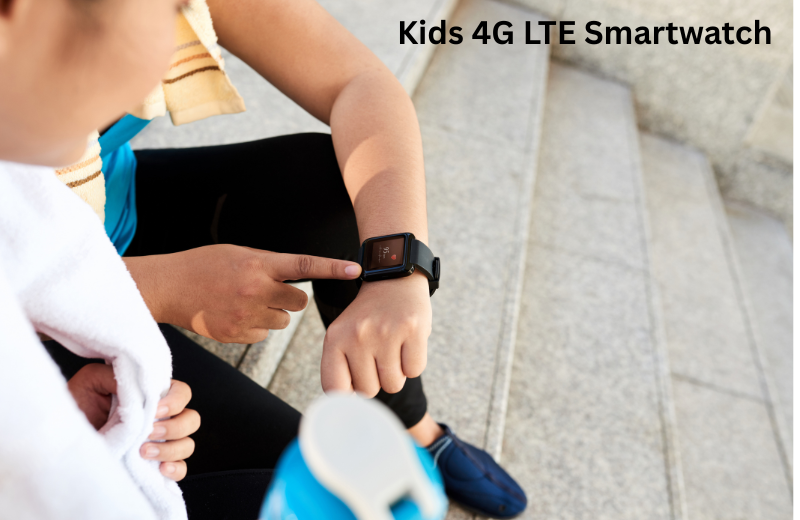
TickTalk 5 comes in an IP67 water-shock-resistant case that can handle active games and plays. It has HD video calling features 4G LTE connection and a battery that lasts a time to support heavy daily use.
Tracking and Safety Suite
- 3D Location Tracking: TickTalk uses GPS satellite positioning, Wi-Fi location mapping and cellular tower triangulation to deliver location readings in all kinds of environments.
- Route History: Parents can check location history logs to see the routes their child traveled during the day.
- Emergency SOS: When the SOS button is held it instantly notifies emergency contacts and shares real-time location data.
- Secure Messaging and Video Calls: Kids can make high-definition video calls and send secure end-, to-end encrypted messages to family members approved in the parent app.
- Do Not Disturb Mode: Parents can turn on school mode remotely through the app to disable non-essential smartwatch features during study time.
Gabb Watch 3
- Best For: A distraction-free cellular smartwatch.
- Key Highlights: Operating on a closed network with no internet browser or social media it provides kids with essential communication without online risks.
- Parental Features: Real-time GPS location mapping, safe zone notifications contact white-listing (, up to 100 contacts) two-way voice/texting, custom school focus modes and an instant SOS panic button.
5. Angel Sense Personal GPS Tracker
- Best For: Angel Sense Personal GPS Tracker is ideal for children who have needs, who are, on the autism spectrum, who have sensory sensitivities or who may wander.
- Key Highlights: AngelSense Personal GPS Tracker streams location every ten seconds. It offers sensory‑friendly ways to wear it with fasteners that do not need to be removed and belt sleeves that’re easy to use. AngelSense Personal GPS Tracker also learns from data to spot wandering before it becomes dangerous.
- Parental Features: Angel Sense Personal GPS Tracker lets parents hear the child through a two‑way speakerphone that answers automatically. When a search is needed Angel Sense Personal GPS Tracker can switch to emergency runner mode to coordinate teams. Angel Sense Personal GPS Tracker keeps a record of the child’s whereabouts
Best Practices, for Using GPS Trackers with Children
I have seen that adding a GPS tracker for kids daily routine works when GPS trackers are paired with clear communication and practical safety rules.
Frame Tracker as a tool for independence
Of presenting Tracker as a tool for constant watching or limits frame Tracker, as a safety net that gives more freedom. Explain to child that wearing Tracker lets child walk to neighbors house play in park or ride bike down block because Tracker provides a way to stay safe and call for help if needed.
Establish Rules Around Device Care
- Teach your child basic habits for managing their device
- Set up a special place in the house where the device is charged every night. This place could be on a nightstand or close, to their backpack.
- Emphasize that smartwatches or tags must stay properly attached during school time, when traveling and during activities.
- Show them how to press the SOS panic button and when to use it making sure they understand that it is, for real emergencies or when they feel truly unsafe.
Test the zones and SOS buttons regularly.
Make sure the geofence alerts and SOS functions work together by walking with your child across a zone boundary. Check how fast you get alerts, on your phone. Also practice what your child should do if they ever need to press the SOS button in a situation.
conclusions:
- There’s no one-size-fits-all GPS tracker for every child. What works best depends on your family’s needs.
- If you want the battery life no screen to distract your child, a small tag that’s easy to clip on and accurate tracking both inside and outside go for a screenless tag like Jiobit. It’s simple reliable. Stays out of the way.
- If your child is school-aged. You’d like them to learn how to use communication tools safely pick a kids smartwatch made for that purpose. The Gabb Watch 3 or TickTalk 5 both let kids make calls and send texts all while giving you real-time GPS tracking and peace of mind.
- If your whole family uses Apple products the Apple Watch SE with Family Setup is a choice. It’s a high-quality wearable that can grow with your child as they get older offering more than tracking.
- If your child has needs, sensory issues or a higher risk of wandering AngelSense is made for that. It streams location in time is designed to be easy on sensitive senses and comes with features that help prevent accidents or get help quickly. For families, like this those things aren’t optional—they’re essential.
