
Table of Contents
Intriduction
Ever wish school quizzes could be as fun as playing a game? That’s exactly what Blooket does! It’s a website that turns learning and reviewing into a lively, competitive game. Whether you’re a teacher looking for new ways to engage your students or a student who wants to make studying more exciting, Blooket is for you.
Here is everything you need to know about this amazing learning tool, written in a way that’s easy to understand.
What Is Blooket?
Blooket is a website where teachers and students can make and play games with questions. Think of it like a trivia game, but with many different game modes and a reward system that keeps you wanting to play more.
The best part? You don’t need to be a computer expert to use it. It’s super easy for everyone.
Why Is Blooket So Popular?
Blooket works because it turns boring quizzes into exciting games. Here’s why people love it:
- Lots of game choices: Instead of just one type of quiz, Blooket has many different game modes to choose from, like Gold Quest, Tower Defense, and Cafe. This keeps things fresh and fun every time.
- It’s motivating: When you answer questions correctly, you earn tokens that you can use to get cute characters called “Blooks.” The chance to collect Blooks makes students eager to play and learn.
- It’s for everyone: Blooket is for all ages, from little kids to high schoolers. The game modes can be simple for younger students or more strategic for older ones.
- It’s easy to start: You don’t have to download anything. You can play right in your internet browser on a computer, tablet, or phone.
How Teachers Use Blooket
For teachers, Blooket is a powerful tool to make lessons stick.
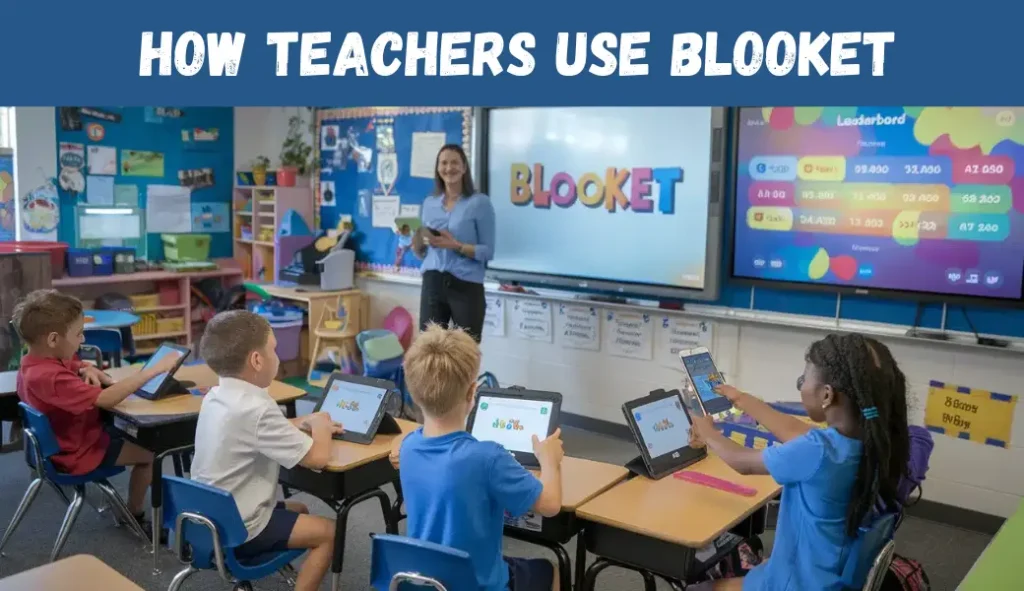
- Create a free account: Go to blooket.com and sign up with your email.
- Find or create a question set: You can easily find questions on almost any subject by searching the site. Many teachers have already made sets you can use! Or, you can create your own questions to match your lesson perfectly.
- Host a game: Pick a question set and choose one of the many game modes. Blooket will give you a special 6-digit game code.
- Share the code: Put the game code on the board or share it on your screen. Students will use this code to join.
- See how they did: After the game, you can see a report that shows you how your students performed. This helps you know what they’ve learned and what needs more practice.
How Students Join a Blooket Game
Joining a Blooket game is super simple and quick!
- Get the code: Your teacher will give you a 6-digit game ID.
- Go to play.blooket.com: Open your web browser and go to this website.
- Enter the code: Type in the 6-digit code your teacher gave you and click the green arrow.
- Pick a name and a Blook: Enter your name and choose a “Blook” (a little character) to represent you in the game.
Play and have fun! Wait for your teacher to start the game. You’ll answer questions to compete against your classmates and try to win.
Different Game Modes You’ll Love
- Gold Quest: Answer questions to open treasure chests. You might find gold, or you might steal someone else’s!
- Cafe: Answer questions to serve food to customers in your virtual cafe. The more you serve, the more you earn!
- Tower Defense: Answer questions to build towers and protect your path from enemies.
- Battle Royale: A 1-on-1 style game where you battle other students by answering questions until only one player is left.
- Racing: Answer questions quickly to move your character across the finish line.
Blooket’s Free Plan vs. Blooket Plus
Blooket offers a great free version that most people use. But if you want more features, you can get Blooket Plus.
- Free Plan: Includes all the basic game modes, lets you create unlimited question sets, and allows up to 60 players per game.
- Plus Plan: Gives you extra features like more game modes, advanced reports to see how students did on each question, and the ability to add audio to questions.
Tips to Get the Most Out of Blooket
Here are simple, helpful, and user-friendly tips to get the most out of Blooket:
1. Choose the Right Game Mode
Blooket offers many game modes like Tower Defense, Gold Quest, Café, and more. Pick the mode that matches your lesson goal fast quizzes for revision, strategy modes for teamwork, etc.
2. Use Pre-Made Question Sets
Save time by using the huge library of readymade question sets. You can edit them to fit your class or topic.
3. Create Custom Sets for Better Learning
Make your own question sets based on your lesson. It helps students practice exactly what they need.
4. Keep Games Short and Engaging
Use short rounds to keep students active. Quick games work better for attention and participation.
5. Mix Fun With Learning
Add rewards, badges, or fun competition. Students learn better when the game feels exciting.
6. Track Student Progress
Use the report features to check who is doing well and who needs help. It’s great for teachers to plan future lessons.
7. Encourage Team Play
Let students play in teams. Teamwork improves confidence and makes learning more enjoyable.
8. Use Blooket for Homework Too
Assign games as homework for extra practice. Students usually enjoy it more than normal worksheets.
9. Host Live Games for Interaction
Live games make the class energetic and students stay focused. It works great for online and offline classes.
10. Keep Updating Your Question Sets
Update your quizzes regularly. Fresh questions keep the excitement alive and improve learning.
Conclusion
Blooket proves that learning doesn’t have to be boring. It’s a simple, free, and fun way to turn quizzes and homework into exciting games that students actually want to play.
Whether you’re a teacher looking to boost classroom excitement or a student wanting to make studying feel like a game, Blooket is a fantastic tool. With lots of different game modes and the chance to collect fun characters, it’s a great way to make learning effective and enjoyable for everyone. So, go ahead and give it a try your students or your self will be glad you did.
